Migrating an AppSheet CRM to Express + Relational Database
Replaced an AppSheet CRM hitting latency and pricing ceilings with a typed Express backend, relational database, and custom React interface — with 100% verified source-record reconciliation.
Client project · anonymized
A small sales team outgrew AppSheet: slow syncs, no real relational integrity, impossible to integrate with billing, and per-user pricing scaling badly. They needed ownership of their data and an API other tools could call.
TL;DR
| Aspect | Before (AppSheet) | After (Express + Database) |
|---|---|---|
| Data model | Flat Google Sheets, customer name duplicated across 5 tabs | Normalized relational tables (customers ↔ contacts ↔ deals) |
| Integrity | None — three spellings of the same customer | Foreign keys, UNIQUE, CHECK constraints |
| Integration | Google Apps Script hacks, copy-paste to billing | REST API + outbound webhooks |
| Sync latency | 20–40s round-trips, worse under load | Local queries, <100ms |
| Cost scaling | Per AppSheet user (~$5–10/seat/mo, climbing) | Flat hosting (~$20/mo) |
| Audit trail | ”Last edited by” on a cell | Append-only event log |
You’ll learn the concrete signs that a team has outgrown AppSheet, the target architecture we migrate to, and the five-step safe-migration pattern (relational re-model → validate → idempotent ETL → parallel run → cutover) that moves a business off AppSheet with count-verified reconciliation and zero team downtime.
The Problem
AppSheet is an excellent tool for the first version of a field-data app: point it at a Google Sheet, drag together some forms, ship to phones in an afternoon. It hides the database. That is its strength and, eventually, its ceiling.
The team in this case — eight sales and ops people across two time zones — had lived in an AppSheet CRM for two years. By the time they called me, the tool that got them from 0→1 was actively costing them every week:
- Sync latency dominated the workday. Every edit round-tripped to the underlying Google Sheet. At ~50k rows the sync took 20–40 seconds, and longer under concurrent edits. The team had learned to batch changes to avoid the lag.
- There was no relational integrity. Underneath the app it was still a flat Sheet, so a customer name typed three ways produced three “customers.” Reporting was permanently suspect.
- It couldn’t talk to billing. Finance copy-pasted deal data into a separate system every week because AppSheet had no API their tools could call.
- Pricing scaled with headcount. AppSheet’s per-user model meant every new hire added a line item, while delivering no more capability.
They needed ownership of their data and an API other systems could call — without losing two years of records or freezing the business for a month. This is the shape of almost every AppSheet-exit project: not a rewrite for its own sake, but a migration forced by a wall the tool was never designed to get over.
For the general version of this story (spreadsheets broadly), see When Google Sheets Stops Scaling.
Signs You’ve Outgrown AppSheet
If you’re evaluating whether to stay or migrate, these are the signals I look for. Three or more means the cost of staying already exceeds the cost of migrating.
1. Sync latency is the workday’s rhythm
AppSheet syncs every change back to the backing store. As the store grows and concurrent users rise, syncs stretch from “instant” to “wait for it.” When the team starts planning their edits around sync time, the tool is fighting them.
2. You’re faking relationships with dereference
AppSheet’s [_thisrow] / dereference expressions simulate relations on top of
flat sheets. They work until they don’t — orphaned rows, broken references after
a rename, reports that quietly return the wrong rows. If you’ve written a 15-line
expression to emulate a JOIN, the database layer is asking to be real.
3. Per-seat pricing is the line item people notice
No-code per-user pricing is fair at five users and painful at twenty. When the monthly bill is a recurring conversation, you’ve hit the economic wall.
4. Another system needs to read or write your data
The moment billing, an ERP, a data warehouse, or an automation needs to touch your CRM data, AppSheet’s lack of a stable external API becomes the blocker. You’re back to copy-paste or fragile Apps Script glue.
5. You need an audit trail AppSheet can’t give
Compliance, finance, or a customer dispute eventually asks “who changed this and when.” A cell’s “last edited by” is not an audit log.
Architecture
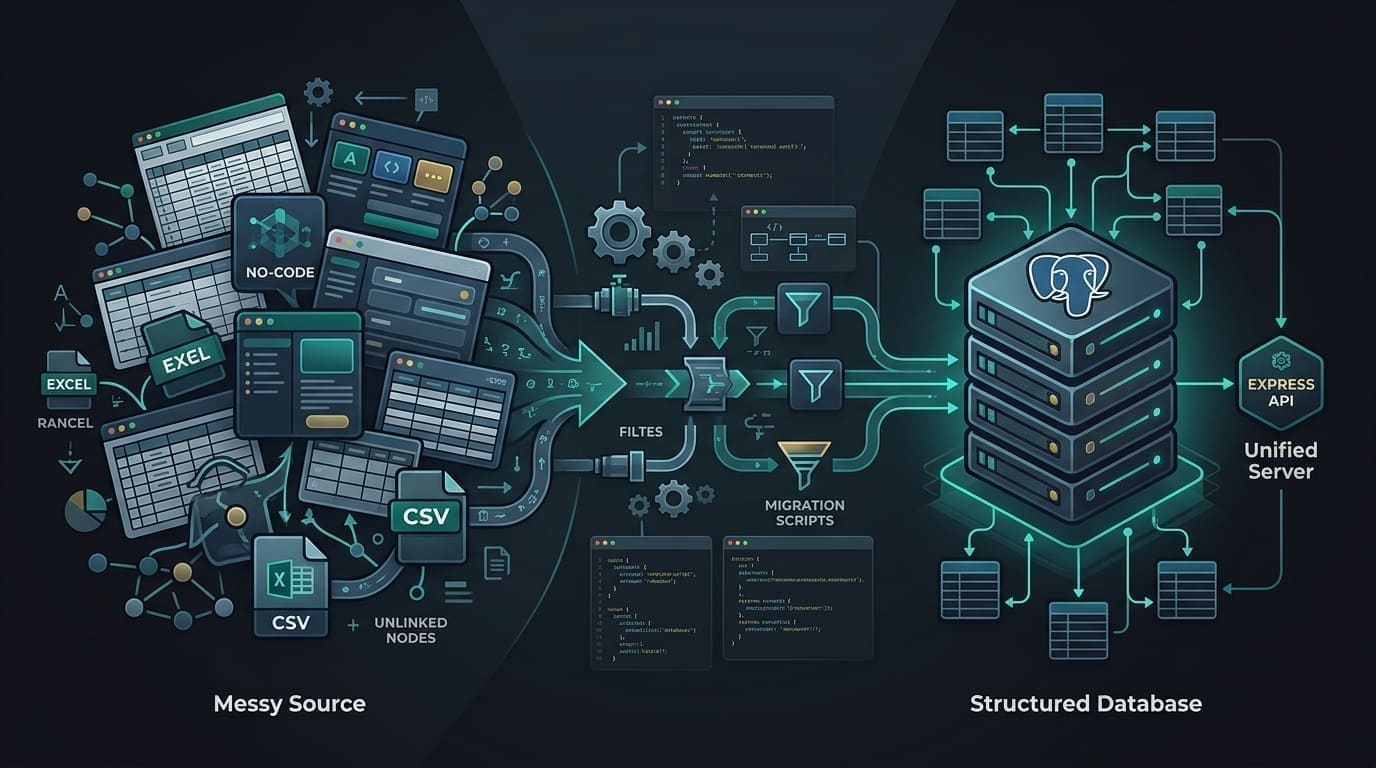
A clean split: Express API + relational database as the source of truth, a React SPA for the team, and a one-time ETL bridge that pulled AppSheet’s sheets into normalized relational tables.
AppSheet (Google Sheets) ──ETL──▶  Relational DB (normalized)
                                        │
                                        ▼
                                  Express API (REST)
                                        │
                          ┌─────────────┴─────────────┐
                          ▼                           ▼
React SPA Billing / webhooks- Typed query layer for safe queries and migration scripts (schema changes ship as reviewed migration files).
- Zod validation at every route boundary, and again at the ETL boundary.
- A read-only shadow period: both systems ran in parallel for two weeks while we reconciled row counts nightly.
The Safe Migration Pattern
This is the procedure I use for any spreadsheet-to-database move, specialized here for AppSheet with live parallel-run cutover.
Step 1 — Model the data relationally, not as a 1:1 of the sheets
AppSheet’s flat tabs had a “customer” column duplicated across five sheets. The first job is to normalize and backfill foreign keys. Everything downstream — billing, reporting, deduplication — depends on this.
CREATE TABLE customers (
  id         uuid PRIMARY KEY DEFAULT gen_random_uuid(),
  name       text NOT NULL,
  email      citext UNIQUE NOT NULL,
  created_at timestamptz NOT NULL DEFAULT now()
);

CREATE TABLE contacts (
  id          uuid PRIMARY KEY DEFAULT gen_random_uuid(),
  customer_id uuid NOT NULL REFERENCES customers(id) ON DELETE CASCADE,
  name        text NOT NULL,
  email       citext,
  phone       text
);

CREATE TABLE deals (
  id          uuid PRIMARY KEY DEFAULT gen_random_uuid(),
  customer_id uuid NOT NULL REFERENCES customers(id),
  stage        text NOT NULL CHECK (stage IN ('lead','qualified','won','lost')),
  amount_cents integer NOT NULL DEFAULT 0,
  closed_at    timestamptz,
  -- the ETL cursor anchor: every migrated row keeps its AppSheet "updatedAt"
  appsheet_row_updated_at timestamptz NOT NULL
);

CREATE INDEX deals_customer_idx ON deals(customer_id);
A CHECK constraint on stage and a UNIQUE on email are the difference
between clean data and three weeks of cleanup before you can trust a report.
Step 2 — Validate before you migrate
AppSheet exports numbers as text, lets emails be malformed, and carries orphaned references. A Zod pass over the exported rows surfaces junk before it reaches the database — in this project, about 3% of rows failed validation and were routed to a review queue instead of the database.
const AppSheetDeal = z.object({
  DealID:   z.string().min(1),
  Customer: z.string().min(1),
  Stage:    z.enum(["lead", "qualified", "won", "lost"]),
  Amount:   z.string().regex(/^\d+(\.\d{1,2})?$/), // exported as text, not a number
  UpdatedAt: z.string(),
});

export type AppSheetDeal = z.infer<typeof AppSheetDeal>;
Rows that fail land in a migration_rejections table with the reason, so nothing
is silently dropped and nothing dirty enters the clean system.
Step 3 — Idempotent ETL with a cursor
Each AppSheet row carries an updatedAt. The importer tracks the last-seen
timestamp per table, so re-running the ETL never double-inserts and always
catches up. Idempotency is what makes the parallel run in Step 4 safe.
async function importDealsSince(cursor: Date): Promise<number> {
  const rows = await appSheet.list("Deals", {
    // AppSheet filters client-side on the export; the cursor narrows the set
    filter: (row) => new Date(row.UpdatedAt) > cursor,
  });

  for (const row of rows) {
    const parsed = AppSheetDeal.parse(row);                 // Step 2 validation
    const customer = await upsertCustomerByName(parsed.Customer);

    await db
      .insert(deals)
      .values({
        customerId: customer.id,
        stage: parsed.Stage,
        amountCents: Math.round(parseFloat(parsed.Amount) * 100),
        appsheetRowUpdatedAt: new Date(parsed.UpdatedAt),
      })
      .onConflictDoUpdate({                                 // idempotent re-runs
        target: deals.id,
        set: {
          stage: parsed.Stage,
          amountCents: sql`excluded.amount_cents`,
          appsheetRowUpdatedAt: new Date(parsed.UpdatedAt),
        },
      });
  }

  return rows.length;
}
Step 4 — Parallel run with nightly reconciliation
For two weeks both systems ran live. Writes still went to AppSheet (where the team was comfortable); the ETL mirrored them into the database nightly. Each morning an automated job compared the two and reported drift.
-- Per-table count drift between the AppSheet snapshot and database
SELECT 'deals' AS table_name,
       a.row_count AS appsheet,
       d.row_count AS db_count,
       a.row_count - d.row_count AS drift
FROM appsheet_snapshot a
JOIN db_counts d USING (table_name);
A count match is necessary but not sufficient, so the job also ran a row-level hash check on a 1% sample to catch edits that kept counts stable but changed content. The parallel run caught three mapping bugs that a dry-run script had missed — exactly its purpose.
Step 5 — Cutover, with a read mirror for holdouts
On cutover, writes flipped to the new app. AppSheet stayed alive as a read-only mirror for two weeks via a scheduled export job, so anyone not yet on the new flow kept visibility without producing divergent data. Then we turned it off.
Interesting Decisions
- Model relationally, not 1:1 with the sheets. The duplicated customer column was the root of the reporting problems. Normalizing first unlocked billing and reporting as near-free side effects.
- Keep AppSheet as a read mirror during cutover. It removed the “everyone must switch at once” risk and gave holdouts a safety net.
- Don’t replicate AppSheet’s UX screen-for-screen. A migration is a rare chance to fix workflows that accreted around a tool’s limits. We rebuilt the three flows people actually used and dropped two that existed only to work around AppSheet.
- Make the ETL re-runnable by design. Idempotent
onConflictDoUpdateplus the timestamp cursor meant we could run the importer hourly during the shadow period without fear.
Lessons Learned
- Normalize datetimes to UTC on the way in. AppSheet stores datetimes as the
editor’s local time, unlabelled. A one-time conversion to UTC with an explicit
tzcolumn prevented subtle drift in reporting. - Validate before you migrate. The Zod pass that surfaced ~3% junk data was the single highest-leverage hour of the project.
- Parallel run beats big-bang. The two-week shadow caught mapping bugs a dry-run couldn’t, and let the team keep working while we verified.
- Budget for the data, not the app. The React UI was the easy part; deduping customers and repairing references took longer than building the new interface.
Pros & Cons
Pros: full data ownership, a stable API other services can call, predictable flat cost, real integrity constraints, and a proper audit log.
Cons: you now operate a database — backups, monitoring, migrations are yours. AppSheet hid all of that. The trade is operational responsibility for ownership and capability, and it’s the right trade once you’ve hit the wall above.
FAQ
Can we keep AppSheet for field data capture? Yes. AppSheet is still a strong thin client. After migration some teams keep it purely for offline mobile capture, writing to the new API instead of a backing sheet. What you leave behind is AppSheet as the system of record, not as a UI.
How long does a migration like this take? For ~50k rows and a team in the 8–20 range, expect 3–6 weeks of elapsed time, of which roughly half is data cleanup and the parallel-run verification — not coding. The UI is the fast part.
What if we’re not ready to leave AppSheet? Run the five-signs check above. If you see fewer than three, the cost of staying is still below the cost of migrating, and that’s a legitimate reason to wait. Migrate when the wall is clearly in front of you, not as a precaution.
Will we lose data? Not with this pattern. Validation routes bad rows to a review queue, the ETL is idempotent, and the parallel run proves parity before cutover. Zero record loss is the standard the process is built to meet — and the reconciliation report is how you verify it happened.
Want this for your AppSheet app?
If your team is hitting the AppSheet wall — slow syncs, no API, per-seat costs climbing — I map the exit in a single discovery call: what to migrate, what the target architecture looks like, and a realistic timeline. You keep your data and your momentum.
Interactive Google Sheets Risk & ROI Assessor
Assess your spreadsheet health score and estimated weekly wasted time.