Your Inventory Spreadsheet Will Break at 10k SKUs
At ~10k SKUs with variants and locations, an inventory spreadsheet gets slow and error-prone. The four failure modes — and the migration path to a database.
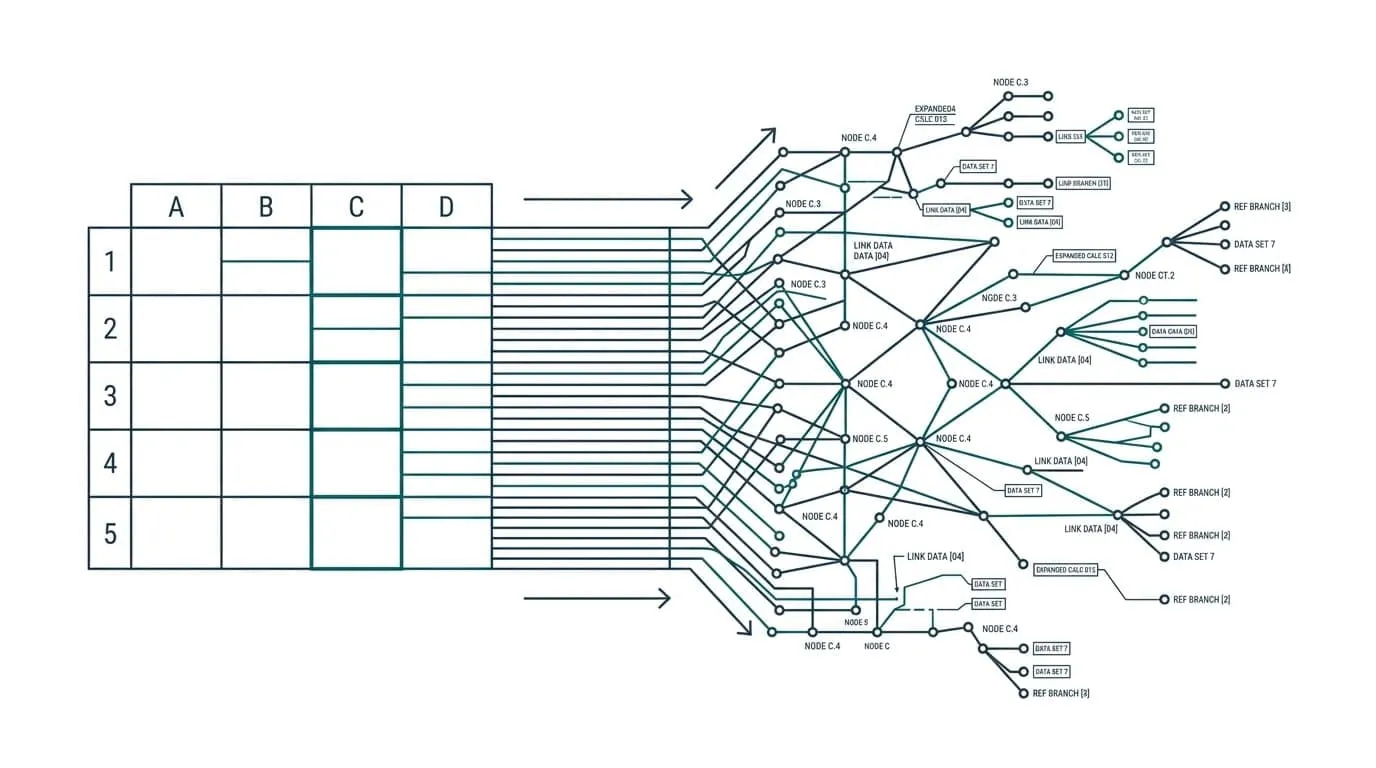
The Problem
Your inventory lives in a spreadsheet. Not because anyone chose it deliberately — it was free, familiar, and everyone already knew how to use it. It worked at 500 SKUs. It worked, slowly, at 2,000. Then the product line grew: variants, colors, sizes, three suppliers, two warehouses, a Shopify store plus a wholesale list, and someone started a movement log in a second tab “just for history.”
That spreadsheet is now the most expensive tool in your operations, and the bill shows up in odd places. Orders oversell because two people edited the same count at the same time. Stock sits in a warehouse while the sheet says it’s sold out. Staff stop trusting the numbers and start re-counting by hand. Nobody updates the sheet anymore, because updating it takes too long and nobody believes the result.
This article is about the moment a spreadsheet inventory breaks: the four failure modes, why it happens around 10,000 SKUs (not at the theoretical row limit), and what “real” looks like when the sheet is replaced by a small database with a thin searchable interface.
The Four Failure Modes
1. Find-and-filter collapses
Finding a SKU turns into a ritual. You paste a code into the filter box, the sheet freezes for several seconds, then shows you three rows — and one of them is the wrong variant’s row because the search matched the supplier’s code in a distant column.
At 10,000 SKUs with an average of three variants each, the master data alone is tens of thousands of rows and 20+ columns. Filters recalculate across every row, and people quietly stop using them — they memorize an alternative path, or they ask a colleague who “knows where things are.” Every question becomes a meeting.
2. Concurrent edits silently corrupt counts
A count in a spreadsheet is just a cell. Two people can open the sheet, both see stock = 40, and both change it — one to 37 after a sale, one to 52 after a delivery. Spreadsheets resolve conflict with last-write-wins, and nobody sees the loser. The count that survives is whichever edit landed last, not whichever one was true.
In inventory this is worse than in any other function, because the correction loop is slow. The wrong count lives in the sheet for days, generating wrong reorder points, wrong availability promises to customers, and wrong numbers on the purchasing side. By the time someone notices, the sheet and the warehouse disagree by a margin that takes hours to reconcile.
3. Formula recalc turns every edit into a wait
Inventory sheets lean on whole-column lookups — VLOOKUP, SUMIFS, QUERY, IMPORTRANGE — to roll quantities and costs across tabs. Every edit triggers a recalculation that touches tens of thousands of cells. Open the sheet, and you stare at a spinner; make an edit, and you wait again.
The workaround is what makes it worse: teams batch their edits and do them late in the day, so nobody has to watch the sheet grind. But then the numbers are only current for a few hours a day, and any decision made outside that window is made on stale data.
4. Integrations turn the sheet into a snapshot in time
The spreadsheet rarely holds inventory truth on its own — it imports from Shopify, from the warehouse, from the wholesale list. Every integration is a manual step: export a CSV, transform it, import it, hope the formats line up. Each round-trip ages immediately: the sheet is a photograph of stock, taken at whatever time someone last clicked “import.”
The moment your store depends on near-current inventory (public availability, reorder automation, multi-location fulfillment), the spreadsheet stops being a tool and becomes a liability. Shopify merchants feel this first: the platform’s inventory is real-time, and the sheet next to it is the one source of truth that is guaranteed to be wrong.
Why It Breaks Around 10k SKUs, Not at the Limit
The published limits are large: Google Sheets caps at 10 million cells per workbook, and Excel tops out at 1,048,576 rows by 16,384 columns. A clean product list of 10,000 SKUs fits comfortably inside both.
The problem is that inventory is never one clean list. It is master data, multiplied:
| Item | Rows or cells |
|---|---|
| 10,000 SKUs × 3 variants each | 30,000 rows of master data |
| × 20+ columns (barcode, supplier, cost, price, qty per location, reorder point…) | 600,000+ cells |
| 2 warehouses + Shopify + wholesale = 4 locations, each with its own qty column | ×4 columns of counts |
| Daily movement log, 10,000 SKUs × 180 days of history | 1.8 million rows |
| Formulas, conditional formatting, IMPORTRANGE tables on top | Every recalc walks all of it |
A movement log alone — one row per SKU per day for six months — is 1.8 million rows, which does not fit in Excel at all. In Sheets it sprawls across tabs, and every cross-tab lookup multiplies the recalculation cost. Multi-user editing and integrations then stack on top of a sheet that was already at the edge.
The honest way to read the “10k” in the title: not the point where the file stops opening, but the point where the sheet’s accuracy, speed, and trust all fail at once — and every workaround makes the next problem worse.
What “Real” Looks Like: Postgres + a Thin Interface
When an inventory spreadsheet breaks, the replacement is not a bigger spreadsheet. It is a small relational database — PostgreSQL is the usual choice — with a deliberately thin user interface on top. The scope is small, which is the point: a few tables and a search box beat a 12-tab workbook.
The model is normalized inventory, which is just a polite way of saying the data is stored once and counted everywhere else:
products          (one row per product: name, barcode, supplier, cost, price, status)
variants          (one row per variant: product_id, sku, option values)
locations         (warehouse A, warehouse B, Shopify, wholesale)
stock_levels      (one row per variant × location: quantity, updated_at)
movements         (one row per stock change: variant_id, location_id, delta, reference, at)
Four properties make this different from the spreadsheet:
- Queries are milliseconds at any size. A filtered search on a 100k-row table is an index lookup, not a whole-column scan. Nobody in your team ever waits for the numbers again.
- Writes are atomic. A sale that decrements stock in two locations is one transaction — it succeeds or it doesn’t. There is no partial edit, no last-write-wins collision between two people.
- History is built in. Every movement is a row in
movements. You can answer “what was the count on Tuesday, and why did it change?” — the question a spreadsheet cannot answer without an audit trail nobody maintained. - The UI is a search box, not a grid. Scan a barcode, see the variant, its locations, its counts, and its recent movements — in one screen. Your team reads fewer cells, not more.
This is not a big-company project. For a 10k-SKU operation, the core is days of work: the four tables above, the import from the current sheet, and the thin screen. The production hardening and the integrations — Shopify sync, reorder alerts, purchase orders — are what the project estimates cover; they’re added later, one at a time, on top of the same model.
The Migration Path That Doesn’t Panic Anyone
Moving off a spreadsheet does not require a big-bang cutover. The pattern that works with a live business is the one used for any data migration:
- Schema first. Define the four tables and load a copy of the master data into them — not into production, just into a scratch database.
- Import with a checkpoint. The export from Sheets or Excel is validated row by row: bad SKUs, missing costs, products with no location get reported, not silently dropped. You fix the data once in the sheet, re-import, and see zero errors.
- Shadow run. The database runs next to the spreadsheet for two to four weeks. Everyone keeps using the sheet; the team spot-checks the database against it. When the database is right in every spot-check, the trust has already moved.
- Cutover. The sheet becomes read-only reference, then an export artifact. The database becomes the tool people open in the morning.
One honest note: this is the same journey as moving any business data off sheets, and the general pattern (including the shadow-run trick) is covered in When Google Sheets Stops Scaling. This article is the inventory-specific version: the four tables above and the search box are the entire point.
Before and After, in Numbers
A concrete profile: 10,000 SKUs, two warehouses plus a Shopify store, 250 orders a day, five people who touch inventory.
| Spreadsheet | Postgres + thin UI | |
|---|---|---|
| Answering “how many X in warehouse B?“ | 20–60 seconds of filtering, then doubt | ~1 second, trusted |
| Daily stock-reconciliation time | 1–2 hours of cross-checking | 10 minutes of exception review |
| Two people editing the same count | Silent last-write-wins corruption | One atomic transaction, second write waits |
| Movement history | ”We don’t really have it” | Every change, forever |
| Shopify availability accuracy | Stale to last manual import | Real-time on the same min |
| Monthly spreadsheet maintenance | Ongoing, unpaid, unavoidable | None |
The point of the comparison is not the technology — it is that the spreadsheet version of this operation is not a tool anymore, it is a part-time employee whose only job is to keep the numbers approximately right.
Summary
| Concern | Spreadsheet | Postgres + thin UI |
|---|---|---|
| Speed at 10k+ SKUs | Seconds to minutes per lookup | Millisecond queries |
| Concurrent edits | Silent last-write-wins corruption | Atomic transactions |
| History / audit trail | None | Built into movements |
| Integrations (Shopify, warehouse) | Manual, stale on arrival | Real-time, API-driven |
| Monthly effort | Endless unpaid maintenance | Near zero |
If your team is still reconciling inventory in a spreadsheet — or worse, has stopped trusting the sheet and started re-counting by hand — the fix is a small database with a search box, not a bigger spreadsheet. For Shopify merchants, the bundle case shows exactly how the sheet fails under order load: Fixing Shopify Bundle SKUs Without Spreadsheet Chaos walks through it with a live automation pattern.
This article is part of my series on when spreadsheets stop scaling and the Shopify automation series. If your inventory sheet is already slow, book a 20-minute fit call — I will look at your setup and tell you exactly what the migration costs in days, not months.